Lessons from CVE-2026-41940: Why Fast Patching and Independent Backups Matter
- Home
- Web Hosting Explained
- Lessons from CVE-2026-41940: Why Fast Patching and Independent Backups Matter
Lessons from CVE-2026-41940: Why Fast Patching and Independent Backups Matter
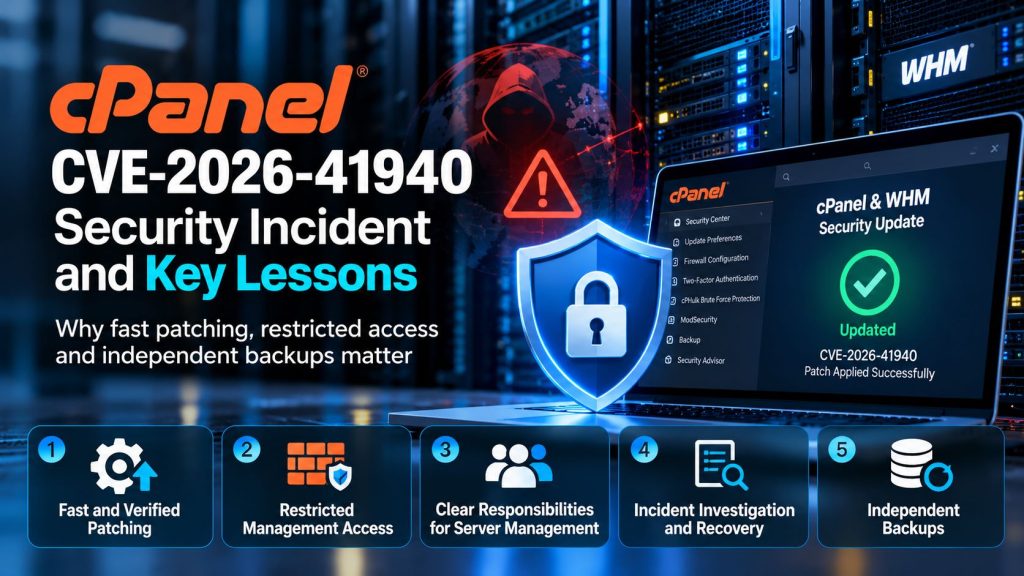
CVE-2026-41940 demonstrated how quickly a security vulnerability in widely used hosting software can become an operational emergency. In April 2026, a critical authentication bypass flaw affecting cPanel and WHM exposed servers to unauthorized administrative access.
For hosting providers and businesses managing their own VPS/VDS environments, the incident highlighted an important distinction: installing security software is not the same as maintaining a secure system.
The most useful lessons concern patching speed, management interface exposure, administrator responsibilities, incident investigation, and independent backups.
What Was CVE-2026-41940?
CVE-2026-41940 was an authentication bypass vulnerability affecting cPanel and WHM. The weakness involved session management and could allow an unauthenticated remote attacker to gain unauthorized access to the control panel.
Because these interfaces manage websites, email accounts, databases, and server settings, successful exploitation could have consequences beyond a single website.
According to the official cPanel security update, patches were released on April 28, 2026, approximately 28 hours after the vendor confirmed a reproducible report.
The vulnerability was also added to the US Cybersecurity and Infrastructure Security Agency’s Known Exploited Vulnerabilities catalog, confirming that exploitation was not merely theoretical.
Lesson 1: Security Updates Must Actually Complete
Enabling automatic updates is useful, but administrators must also verify that updates succeed.
A VPS may remain vulnerable because automatic updates were disabled, a maintenance task failed, or the installed software version was no longer receiving ordinary updates.
Administrators can check the installed cPanel version using:
cat /usr/local/cpanel/versionThis command identifies the installed version. It does not independently confirm that the server is secure.
The result must be compared against the vendor’s affected and patched version list, which includes different fixed releases for different cPanel branches.
After patching, administrators should verify service availability and review vendor guidance for additional checks.
Lesson 2: Restricting Management Access Reduces Exposure
WHM commonly uses TCP port 2087 for secure administrative connections. When that interface is publicly reachable, remote attackers can attempt to interact with it.
Restricting management access to trusted IP addresses or a properly configured VPN can reduce the number of systems able to reach the interface.
However, firewall restrictions are a supplementary defense, not a replacement for security updates. Other affected interfaces may remain accessible, and authorized networks can also become compromised.
During an emergency, administrators must understand every relevant management endpoint rather than assuming that closing one port eliminates the vulnerability.
Our guide to WordPress server security explores additional layers of protection for hosted applications.
Lesson 3: Customer-Managed Servers Need Clear Responsibilities
HostHome Cloud’s account of the incident illustrates a challenge with customer-managed VDS environments.
According to the HostHome team, its cPanel partnership helped it receive timely vulnerability information. The team reviewed update status, restricted relevant management access, and checked backup availability.
HostHome also reported that a small number of customer-managed VDS servers were compromised after automatic cPanel updates had been disabled.
This distinction matters because the hosting provider may maintain the physical infrastructure while the customer remains responsible for operating system and control-panel administration.
A customer-managed server should have a named person responsible for reviewing advisories, applying patches, and confirming successful maintenance.
Businesses comparing HostHome Cloud VPS/VDS hosting options should clarify these responsibilities before deploying production applications.
Lesson 4: A Patch Does Not Undo an Existing Compromise
Applying a security update closes the known vulnerability, but it does not automatically remove unauthorized changes made before the update.
After suspected exploitation, administrators should investigate unusual account activity, newly created users, unexpected scheduled tasks, modified files, and suspicious processes.
cPanel published detection guidance alongside its security advisory. These checks can support an investigation, but a clean result does not guarantee that every possible compromise has been excluded.
Where compromise is confirmed, recovery may require rebuilding the affected environment, rotating credentials, and restoring verified clean application data.
Simply restarting services or changing a password may leave an attacker’s persistence mechanisms in place.
Lesson 5: Independent Backups Make Recovery Possible
HostHome reported using its backup infrastructure to restore affected customer projects following the incident.
That experience illustrates why recovery copies should remain independent of the production server.
If an attacker gains administrative access, backups stored only on the compromised VPS may also be deleted, encrypted, or modified.
Off-server backups, protected backup credentials, suitable retention policies, and restoration testing reduce this risk.
Recovery also requires choosing a trustworthy restore point. Restoring a backup created after compromise may reintroduce malicious files or configuration changes.
Our article on website backup responsibilities explains why recovery arrangements should be understood before an emergency.
Example Scenario: A Vulnerable Customer-Managed VDS
Consider a business operating a customer-managed VDS with cPanel/WHM. Automatic updates were disabled during earlier troubleshooting and never re-enabled.
When a critical security advisory appears, the business does not immediately notice that its server remains on an affected release.
After suspicious activity is detected, the administrator restricts management access, preserves available evidence, investigates possible compromise, and applies the vendor’s remediation guidance.
If the system cannot be trusted, the business rebuilds it and restores verified clean data from an independent backup.
This is an illustrative scenario, not a description of an identifiable HostHome customer.
The Lasting Lesson from CVE-2026-41940
CVE-2026-41940 showed that effective hosting security depends on more than a single firewall, password policy, or update setting.
Providers and server owners need reliable advisory channels, verified patch deployment, restricted administrative exposure, clear maintenance responsibilities, and recovery plans that work under pressure.
The most important question is not whether a vulnerability will ever be discovered. It is whether the organization can recognize the risk, respond promptly, and recover safely when its defenses are tested.
Written by Nadee Kumari
Technical review by HostHome Team
Reliable Hosting for a Seamless Online Experience
24/7 Support & High Performance – Host with Confidence

Boost Your Online Presence with Host Home: Unmatched Hosting Power, Anytime, Anywhere.
Contact us
© 2026 hosthome.cloud. All Rights Reserved.