The Invisible Work Behind Secure Hosting: What Server Administrators Do Every Day
- Home
- Web Hosting Explained
- The Invisible Work Behind Secure Hosting: What Server Administrators Do Every Day
The Invisible Work Behind Secure Hosting: What Server Administrators Do Every Day
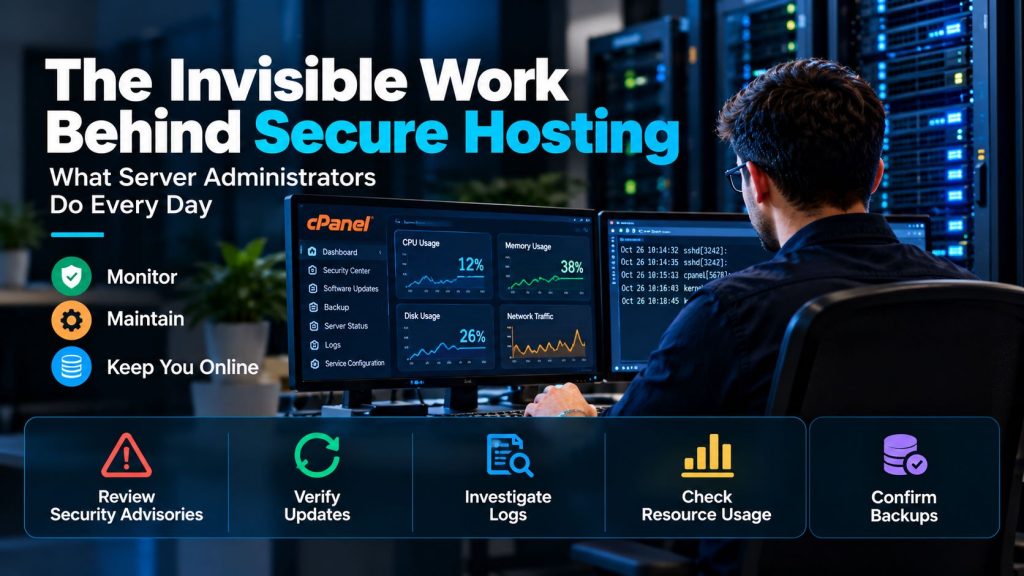
Secure web hosting involves much more than installing a firewall and keeping a server online. Behind a functioning website, administrators perform routine checks that most customers never see.
They review security advisories, investigate unusual activity, confirm updates, examine resource trends, and check whether recovery systems are working. These tasks rarely attract attention when everything runs smoothly, but they can make the difference between a minor warning and a serious incident.
1. Reviewing Security Advisories Before They Become Emergencies
Hosting environments depend on multiple software components, including the operating system, cPanel/WHM, web server, database, and PHP.
Administrators must distinguish routine product announcements from vulnerabilities requiring urgent action. A security advisory may affect only certain versions, configurations, or exposed services.
The practical work involves identifying affected servers, assessing exposure, planning remediation, and confirming completion.
Not every update requires emergency maintenance, but critical vulnerabilities should not wait for the next convenient maintenance window without a risk assessment.
2. Checking Whether Updates Actually Worked
Automatic updates reduce manual effort, but an enabled update schedule does not prove that every installation succeeded.
On cPanel/WHM servers, administrators can review recent update history with:
tail -5 /var/cpanel/updatelogs/summary.logThis provides a quick history of completed version changes. Detailed logs in /var/cpanel/updatelogs/ help investigate failed or incomplete maintenance.
For example, an unavailable package repository might interrupt an update while the server continues serving websites normally. Without checking the result, the administrator may not notice that maintenance remains unfinished.
The official cPanel update history guide explains how to inspect these records.
3. Investigating Logs Instead of Collecting Them Blindly
Servers generate large volumes of logs. Most entries describe ordinary activity, so administrators need to identify meaningful changes rather than treat every warning as an attack.
Repeated failed logins, unexpected privilege changes, unfamiliar administrative sessions, and unusual application errors deserve attention.
A single failed login may be harmless. Hundreds of attempts from different sources, combined with an unexpected successful login, present a different risk.
The CISA logging guidance recommends collecting useful records, monitoring high-risk events, and protecting logs against unauthorized modification.
Centralized logging can also preserve evidence when an individual server becomes unavailable.
4. Recognizing Unusual Resource and Network Activity
Not every security problem begins with a recognizable malicious file. Unexpected resource consumption can sometimes provide an early warning.
Administrators may investigate sudden CPU spikes, unfamiliar processes, unexpected outbound connections, or unexplained changes in disk usage.
Basic Linux checks include:
uptime
ps aux --sort=-%cpu | head
ss -tunap
These commands help inspect system load, CPU-intensive processes, and network sockets. They do not determine whether activity is malicious.
For example, high CPU usage could indicate a legitimate scheduled job, a poorly optimized application, or unauthorized activity. Administrators need historical context before deciding what to do.
Effective monitoring establishes normal behavior so that unusual changes are easier to recognize.
5. Verifying Backups and Maintenance Results
Backup systems require ongoing supervision. A scheduled job may fail because of insufficient storage, connection problems, or destination permissions.
For cPanel environments, administrators can inspect backup logs in:
/usr/local/cpanel/logs/cpbackup/Checking completion reports helps identify failures, but a successful backup job does not prove that every file can be restored.
Periodic recovery tests provide stronger evidence that backup data is usable.
Our guide to website backup responsibilities explains why customers should understand who manages backup creation, retention, and restoration.
6. Reviewing Configuration Changes and Security Warnings
Server configurations change over time as new websites, applications, and administrators are added.
A temporary firewall exception, unused account, or forgotten administrative permission can remain long after its original purpose disappears.
WHM’s Security Advisor helps identify selected configuration concerns and recommends actions. However, its checks are not a complete security audit.
Administrators still need to evaluate whether changes are appropriate for the server’s actual workloads.
For additional protection at the application level, see our guide to WordPress server security.
7. Turning Monitoring Into Timely Decisions
Collecting alerts is only the beginning. Administrators must decide which warnings require immediate action, which need investigation, and which represent expected activity.
Useful operational processes include assigning responsibility, documenting changes, escalating serious incidents, and reviewing recurring problems.
Too many low-value alerts can create alert fatigue. Too few alerts may allow important problems to go unnoticed.
The goal is not maximum notification volume, but reliable detection and appropriate response.
Example Scenario: An Ordinary Morning Reveals a Hidden Problem
Consider an administrator reviewing several hosting servers at the start of the day.
All monitored websites respond normally, but one server shows an incomplete overnight update. The administrator checks the update logs and discovers a package repository connection failure.
After investigating the cause, the administrator completes the maintenance and verifies that the affected services function correctly.
Customers may never notice the issue. Yet identifying it early prevents an unnoticed maintenance failure from remaining unresolved.
This is an illustrative example of routine hosting operations, not a documented HostHome customer incident.
Why the Invisible Work Matters
Secure web hosting is an ongoing operational discipline rather than a collection of installed security tools.
Reviewing advisories, checking update results, interpreting logs, investigating anomalies, and confirming maintenance outcomes all help administrators identify problems before they escalate.
For businesses considering managed cPanel hosting, it is worth asking which monitoring, maintenance, and response responsibilities are included.
Good hosting administration is often invisible precisely because problems are investigated and addressed before customers experience their consequences. No provider can eliminate every risk, but consistent operational attention makes security and reliability more manageable.
Written by Nadee Kumari
Technical review by HostHome Team
Reliable Hosting for a Seamless Online Experience
24/7 Support & High Performance – Host with Confidence

Boost Your Online Presence with Host Home: Unmatched Hosting Power, Anytime, Anywhere.
Contact us
© 2026 hosthome.cloud. All Rights Reserved.