Traditional VPS/VDS vs. Public Cloud: When Simpler Hosting Makes More Sense
- Home
- Web Hosting Explained
- Traditional VPS/VDS vs. Public Cloud: When Simpler Hosting Makes More Sense
Traditional VPS/VDS vs. Public Cloud: When Simpler Hosting Makes More Sense
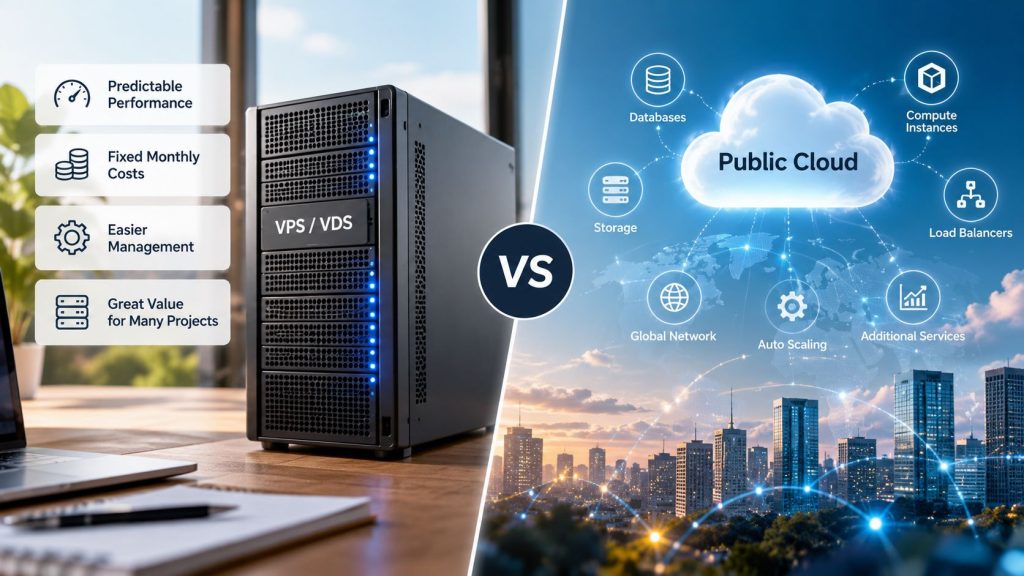
Choosing between a traditional VPS and a public cloud server setup is not simply about which platform offers more features. For a WordPress website, online store, or business application with predictable resource needs, a traditional VPS/VDS can sometimes offer better value, simpler management, and more predictable costs than public cloud infrastructure.
The important question is whether the additional capabilities of public cloud solve a problem the business actually has. Five differences are particularly useful when making that decision.
1. VPS vs Cloud Server: Infrastructure and Resource Allocation
Both traditional VPS hosting and public cloud virtual machines use virtualization. A physical server provides computing resources to isolated virtual environments, each running its own operating system.
Traditional VPS hosting usually provides a defined package of CPU, RAM, storage, and bandwidth for a recurring price. Public cloud platforms offer virtual machines alongside managed databases, object storage, load balancers, and automated scaling.
VDS often suggests more explicitly reserved resources, but providers use VPS and VDS terminology differently. Neither name alone guarantees dedicated physical CPU cores.
For a single application, a straightforward VPS configuration may be sufficient. For a distributed platform, the additional cloud services can be valuable.
2. Performance: CPU Allocation and Storage Matter More Than Labels
Two servers advertised with two vCPUs and 4 GB RAM can deliver different performance because of processor generation, CPU scheduling, storage latency, and resource limits.
Consider Amazon EC2’s burstable T3 instances. According to AWS CPU credit documentation, a t3.medium provides two vCPUs, 4 GiB memory, and a baseline CPU utilization of 20% per vCPU.
In Standard mode, exhausting CPU credits reduces available performance toward the baseline. In Unlimited mode, sustained usage above the baseline can generate additional charges.
This design works well for applications with occasional traffic spikes. A continuously CPU-intensive workload may be better suited to a non-burstable cloud instance or a VPS with appropriate sustained CPU allocation.
Storage performance also matters. Insufficient IOPS or high disk latency can slow database requests even when CPU utilization is low.
Practical Linux Performance Checks
Administrators can inspect basic resource behavior using:
uptime
free -h
vmstat 1 5
uptime reports load averages, free -h shows memory availability, and vmstat provides CPU activity, including I/O wait and steal time.
Elevated steal time may indicate hypervisor CPU contention. However, these commands are diagnostic starting points, not complete performance benchmarks. Meaningful comparisons require representative workloads measured over time.
3. Pricing: Predictable VPS Costs vs Flexible Cloud Billing
Traditional VPS packages commonly have a fixed monthly price for defined resources. Public cloud billing may separate compute, storage, snapshots, outbound traffic, and networking services.
For example, consider a hypothetical cloud VM priced at $0.06 per hour:
730 hours x $0.06 = $43.80/monthThis illustrative amount covers compute only. Additional storage, backups, and network usage could increase the final bill.
A fixed-price VPS may include storage and bandwidth within its package, although backup services, software licenses, and excess usage can still cost extra.
For applications running continuously, predictable pricing simplifies budgeting. Public cloud can be more economical for temporary workloads that can be stopped when not needed, or when commitment discounts apply.
The fairest comparison includes the complete monthly operating cost rather than the advertised virtual machine price alone.
4. Management: Simpler Infrastructure Can Reduce Complexity
A traditional VPS running Linux and cPanel/WHM can provide a familiar environment for managing websites, databases, logs, and server configuration.
For a small IT team, maintaining one appropriately sized server may be easier than managing several cloud services, identity permissions, networking rules, and storage policies.
However, simpler infrastructure does not remove administrative responsibilities. An unmanaged VPS still requires operating system updates, firewall configuration, monitoring, and tested backups.
Our guide to WordPress performance bottlenecks explains why PHP workers, database queries, and caching can matter more than the underlying hosting platform.
Businesses looking for additional administration support can explore managed cPanel hosting and review the services included.
5. Scalability and Reliability: Where Public Cloud Has an Advantage
Public cloud is particularly useful when applications require automatic horizontal scaling, managed databases, multi-region deployments, or temporary computing capacity.
For example, an application processing thousands of background jobs during occasional traffic peaks may benefit from launching additional cloud instances and removing them afterward.
A traditional VPS can often be upgraded with more CPU, memory, or storage, but its maximum capacity depends on the provider’s infrastructure and available plans.
Cloud platforms make distributed architectures easier to build, but high availability is not automatic. Redundancy, monitoring, backups, and failover still require configuration and testing.
A well-managed VPS can be reliable for predictable workloads. A poorly configured cloud deployment can still experience outages.
Example Scenario: A Business Website and Customer Portal
Consider a company operating a WordPress website, customer portal, and small database. Its applications run continuously, traffic is relatively stable, and automatic scaling is unnecessary.
A VPS with sufficient CPU, memory, and reliable storage may handle these requirements without introducing several separately managed cloud services.
The company still needs a recovery strategy. As explained in our article about website backup responsibilities, backup availability is only useful when recovery copies can actually be restored.
If the application later requires geographic redundancy or multiple application servers, the infrastructure decision can be reassessed.
For projects with predictable workloads, businesses can compare HostHome Cloud’s VPS/VDS hosting options against their CPU, memory, storage, and administration requirements.
Which Hosting Model Makes More Sense?
A traditional VPS/VDS can provide strong value when workloads are stable, administration requirements are straightforward, and predictable costs matter.
Public cloud becomes more attractive when elasticity, distributed infrastructure, or managed services provide measurable operational benefits.
Neither option automatically guarantees better speed, security, or reliability. The right choice depends on actual workload requirements, resource quality, recovery planning, and the team’s ability to manage the infrastructure effectively.
Written by Nadee Kumari
Technical review by HostHome Team
Reliable Hosting for a Seamless Online Experience
24/7 Support & High Performance – Host with Confidence

Boost Your Online Presence with Host Home: Unmatched Hosting Power, Anytime, Anywhere.
Contact us
© 2026 hosthome.cloud. All Rights Reserved.